Wireshark
Wireshark is a network protocol analyzer used to capture and inspect traffic in real time. Once a MITM position is established, it can intercept unencrypted protocols such as HTTP to reveal credentials and other sensitive data in plain text, while encrypted traffic like HTTPS and SSH remains unreadable — illustrating why encryption matters for protecting data in transit.
Setup
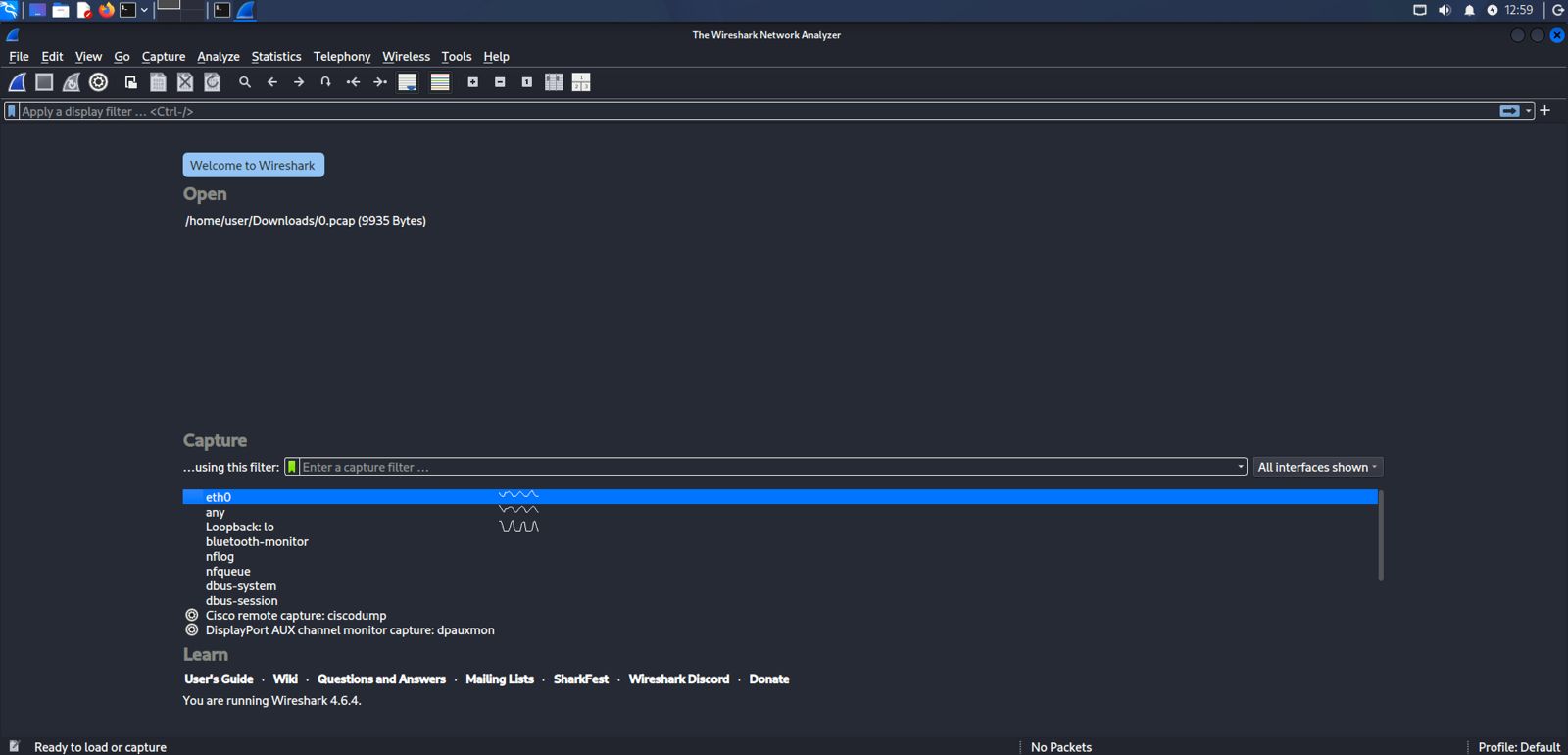
wireshark -i eth0 -kThe interface selection screen lets you choose which network interface to listen on (e.g. eth0). The -k flag starts the capture automatically once the interface is selected; you can also manually pick an interface from the list and click the start icon (blue shark fin).
Display Filters
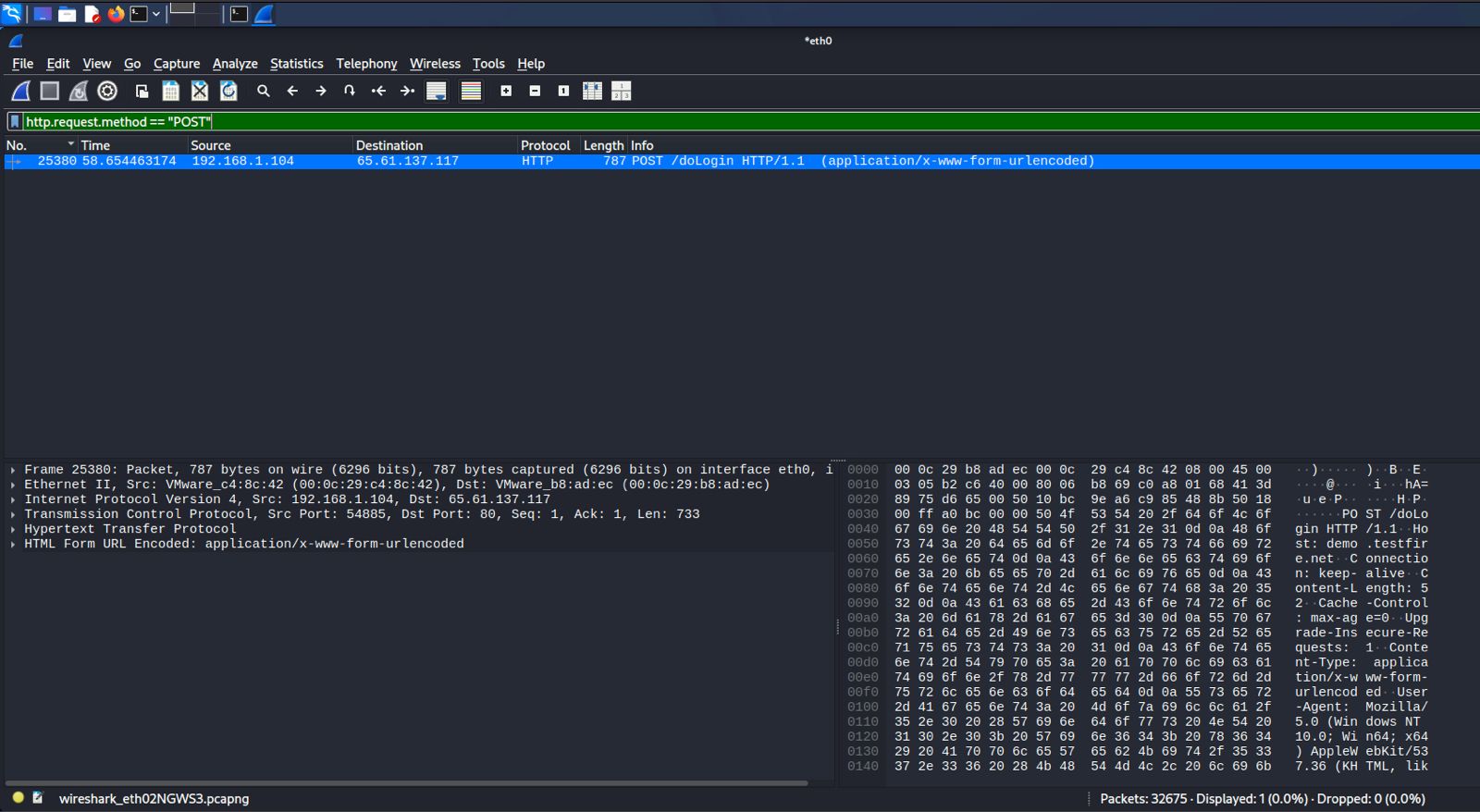
http.request.method == "POST"After establishing a MITM position, apply this display filter to isolate HTTP POST requests from the captured traffic — this narrows down the packet list to form submissions, such as login attempts, making it much faster to locate the request you want to inspect.
Traffic Analysis
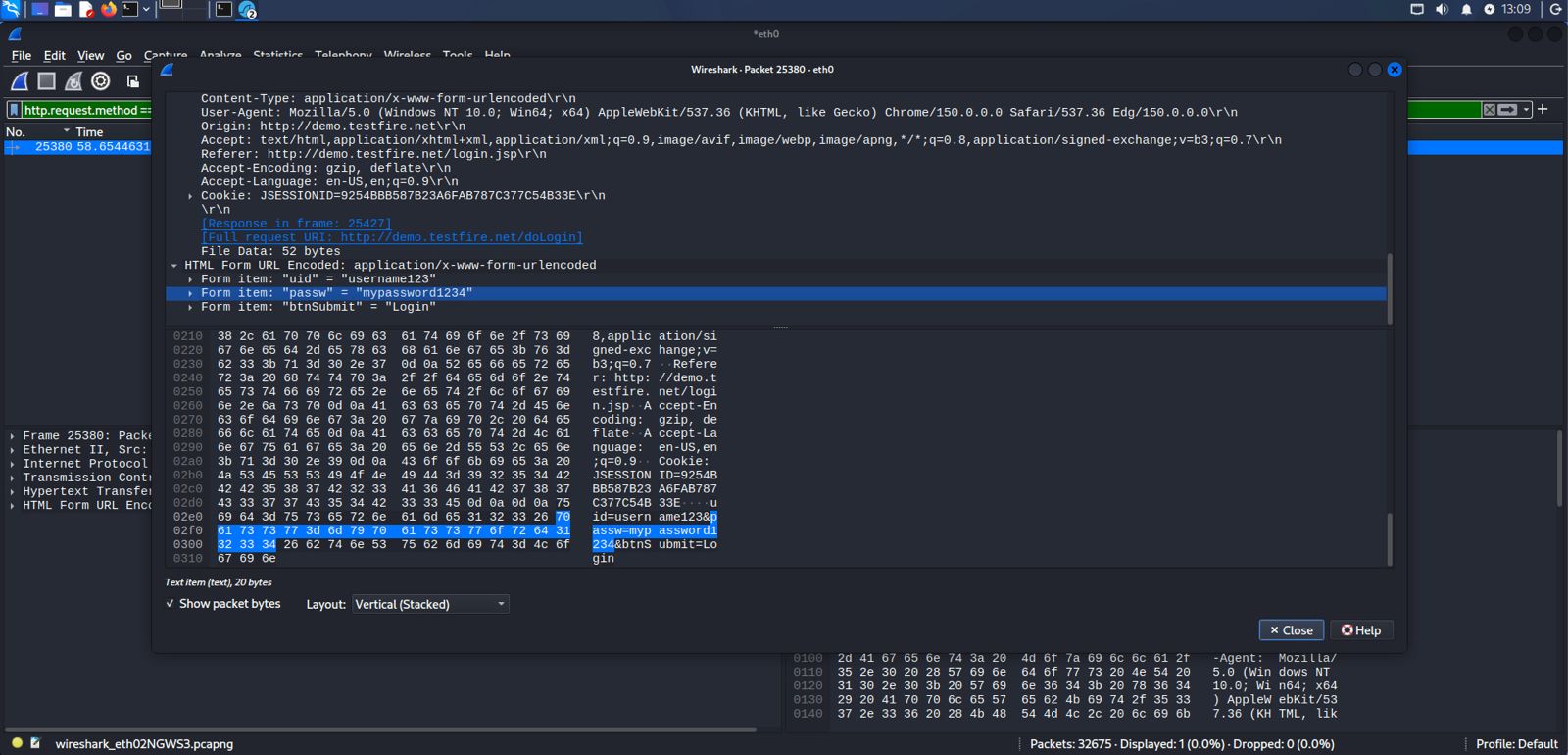
Expand HTML Form URL EncodedOnce you've located the POST request, expand the "HTML Form URL Encoded" section in the packet details pane. Wireshark automatically parses the submitted form fields — in this example captured during a MITM attack, the username and password are visible in plain text, since HTTP transmits form data unencrypted.